
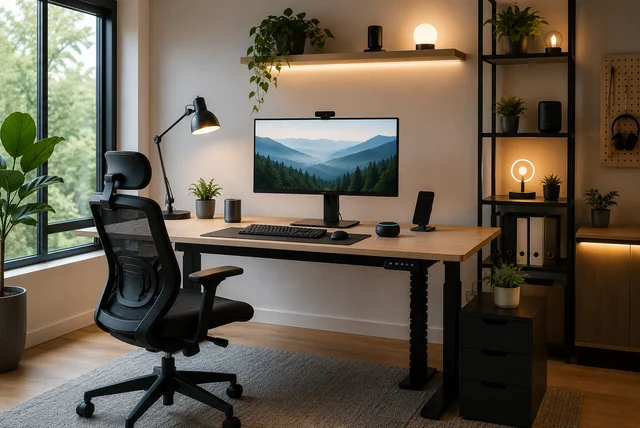

It started with what looked like an ordinary Monday morning. Sarah opened her laptop at the dining table, just as she had done for months. Within an hour, her back began to ache, charging cables covered half the table, the room felt too warm, and a noisy notification interrupted an important video meeting. By lunchtime, she realized she had spent more time fixing small problems than actually working. A week later, she made a few simple changes. She moved to a dedicated desk, installed smart lighting, organized her cables, and used a smart plug to automate her daily routine. The difference surprised her. Her workspace felt calmer, her focus improved, and work became far less stressful. Stories like this have become common as millions of people now work from home or follow hybrid schedules. If you have ever felt distracted or uncomfortable while working, you’re not alone. These smart home office setup ideas can help you create a workspace that feels organized, comfortable, and productive without spending a fortune. Whether you work full-time from home or only a few days each week, small improvements can completely change your daily routine.
Why a Smart Home Office Is More Important Than Ever

Image source: Pexels.com
Imagine starting your workday by simply saying, “Good morning,” and watching your office come to life. The lights slowly brighten, your desk lamp switches on, the room reaches a comfortable temperature, and your laptop charger is already powered through a smart plug. That may sound like something from the future, but it is becoming normal in many homes today. A smart home office is not about filling your room with expensive gadgets. It is about making everyday tasks easier so you can spend more time focusing on your work. According to workplace studies, many remote workers believe they are more productive at home because they experience fewer interruptions, while the famous Stanford remote work study also found around a 13% improvement in productivity for employees working from home. With hybrid work becoming the preferred choice for many professionals, creating a dedicated workspace has become more important than ever. If you are planning a complete makeover, our Modern Luxury Home Office Ideas guide offers more inspiration for creating a stylish and functional workspace. Even simple upgrades like smart lighting, organized storage, and better desk placement can make every working day feel less stressful and far more enjoyable.
Build Your Smart Desk Setup Around Comfort First

Image source: Pexels.com
Many people think buying the latest gadgets will instantly improve their workspace, but comfort should always come first. Picture someone spending eight hours every day on an uncomfortable dining chair while looking down at a laptop screen. By evening, neck pain, tired shoulders, and poor posture become part of the routine. Now imagine replacing that setup with an ergonomic chair, a monitor placed at eye level, a laptop stand, and a height-adjustable desk. The difference can be felt almost immediately. Health experts recommend keeping your elbows close to a 90-degree angle while typing and placing your monitor at eye level to reduce muscle strain during long work sessions. A sit-stand desk can also help you alternate between sitting and standing throughout the day, reducing fatigue caused by remaining in one position for hours. Once your body feels comfortable, adding technology becomes much more valuable. If you are working with limited space, our guide on Space-Saving Furniture Ideas shares practical solutions for creating a productive office without making the room feel crowded.
Use Smart Lighting and Automation to Make Every Workday Easier

Image source: Pexels.com
Think about how often you stop working just to switch on a light, adjust the room temperature, or plug in another device. These tiny interruptions may seem harmless, but together they can quietly break your concentration throughout the day. This is where home office automation makes a real difference. Smart bulbs can automatically brighten in the morning and become warmer in the evening to match your daily routine. Motion sensors can switch lights on as soon as you enter the room, while smart plugs can power your monitors, desk lamp, or even your coffee machine before your workday begins. Voice assistants make everything even simpler by allowing you to control lights, reminders, music, and thermostats without leaving your chair. Recent smart lighting research has also shown that intelligent lighting systems can significantly reduce unnecessary energy use while improving comfort. If you’re looking for more ideas, our guides on Smart Lighting Ideas and Smart Home Ideas UK provide plenty of inspiration for building an efficient and modern remote work setup that saves both time and energy every single day.
Keep Your Workspace Clean with Smart Storage and Cable Management
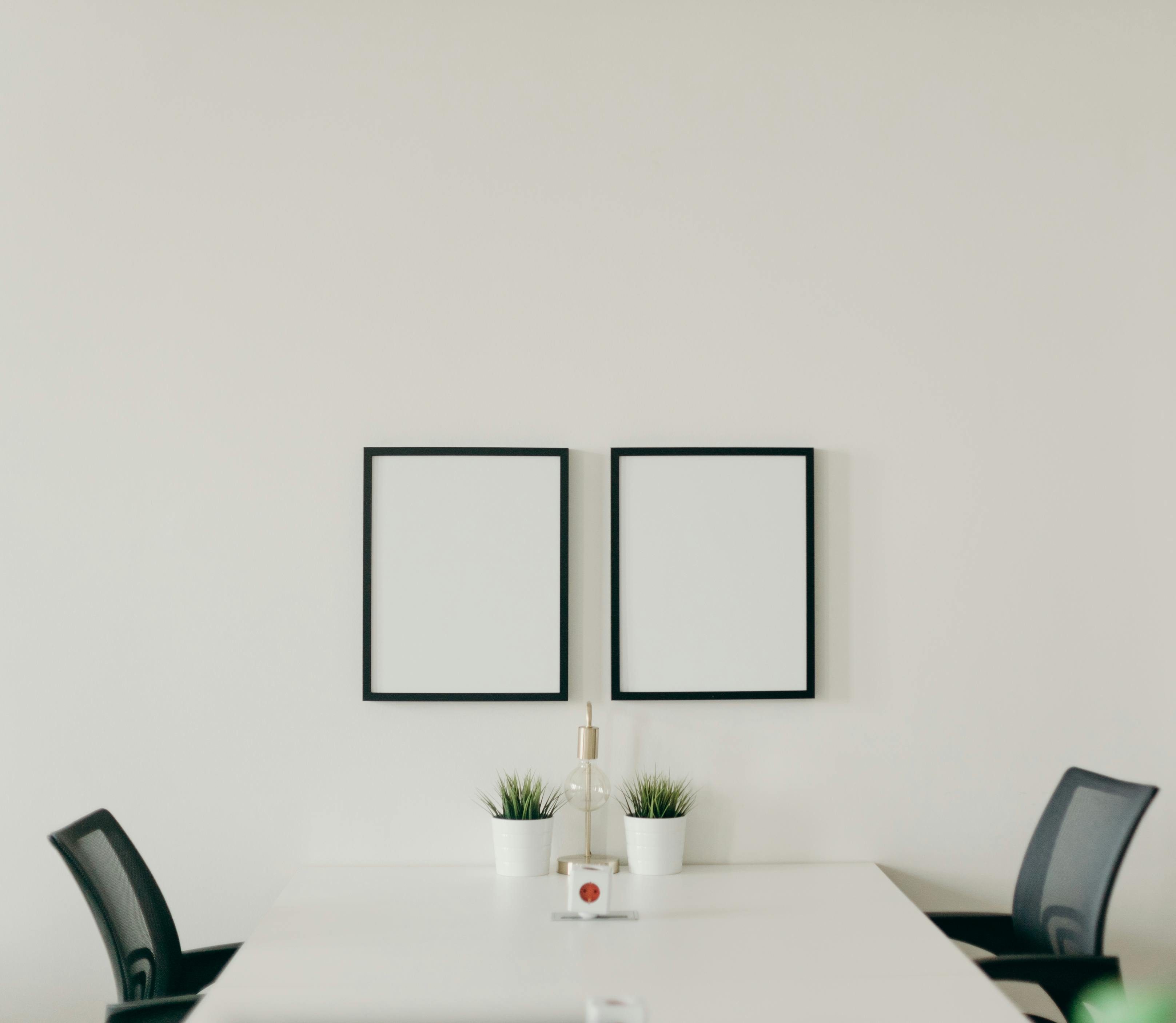
Image source: Pexels.com
One of the biggest reasons people lose focus has nothing to do with work itself—it is the mess around them. Imagine sitting down to start an important project, only to find charging cables tangled together, notebooks piled on top of each other, and nowhere to place your coffee mug. It may seem like a small problem, but clutter quietly steals your attention. Many people who share their home office setups online say that simply clearing their desk made them feel calmer and more productive. A smart workspace does not always need more technology; sometimes it just needs better organization. Start with under-desk cable trays, cable sleeves, Velcro ties, and a wireless charging station to reduce visible wires. Add floating shelves, drawer organizers, or hidden storage boxes to keep supplies within easy reach while maintaining a clean desk. If your room is small, using vertical storage instead of floor cabinets can make the space feel much larger. For even more clever organization ideas, explore our guides on Smart Storage Furniture Ideas and Hidden Storage Ideas for Home. When every item has its own place, your desk becomes a space where ideas can grow instead of distractions.
Choose Smart Office Gadgets That Solve Real Problems

Image source: Pexels.com
It is easy to get excited about the latest gadgets, but the best smart home office setup ideas focus on tools that genuinely make everyday work easier. Think about someone who constantly searches for phone chargers, struggles with poor video quality during meetings, or runs out of USB ports every afternoon. Instead of buying dozens of devices, a few carefully chosen upgrades can solve these problems. A USB-C docking station keeps multiple devices connected with a single cable, while a monitor arm creates extra desk space and improves screen positioning. A wireless charging station removes the need for messy charging cables, and noise-cancelling headphones help block household distractions during important calls. If you attend frequent virtual meetings, adding an external webcam and microphone can dramatically improve both video and audio quality. Smart speakers are another useful addition because they can set reminders, manage calendars, answer quick questions, or control your voice-controlled office with simple commands. Rather than filling your workspace with unnecessary gadgets, choose technology that saves time, reduces frustration, and supports your daily routine. If your workspace is limited, our Multifunctional Furniture Ideas and Compact Furniture Trends UK guides can help you combine smart devices with practical furniture for maximum efficiency.
Build a Smart Home Office Without Spending a Fortune

Image source: Pexels.com
Many people postpone improving their workspace because they believe a smart office requires thousands of pounds to build. The truth is often the opposite. The most successful home offices usually grow one small upgrade at a time. Begin with a quality ergonomic chair because it will affect your comfort every single day. Then add an affordable smart bulb that automatically changes brightness throughout the day, followed by a smart plug to automate your desk lamp or monitor. A simple laptop stand, cable organizer, and wireless charging pad can make your desk feel completely different without stretching your budget. As your needs grow, you can gradually introduce a standing desk, smart thermostat, or additional automation routines. This step-by-step approach is recommended by many experienced remote workers because it allows you to invest in items that genuinely improve your workflow instead of buying gadgets that sit unused. If you’re furnishing a compact room, our guides on Foldable Furniture Ideas for Small Spaces and Small UK Home Interior Ideas offer practical ways to create a productive workspace while making every square metre count.
Create Daily Automation Routines That Save Time and Reduce Stress

Image source: Pexels.com
Have you ever noticed how many little things interrupt your workday? You switch on the lights, adjust the fan, silence your phone, plug in your laptop, and make another trip to the kitchen for coffee before you’ve even started working. Each task takes only a few seconds, but together they slowly break your focus. This is where a well-planned smart home office becomes a real helper instead of just another collection of gadgets. You can create a simple “Start Work” routine where smart plugs power your monitor, smart lighting adjusts to a bright daylight setting, and your smart thermostat reaches a comfortable temperature before you even sit down. During important meetings, a “Meeting Mode” can switch on your desk light, mute unnecessary notifications, and activate a “Do Not Disturb” mode on your phone. At the end of the day, one voice command can turn off office equipment, dim the lights, and help you mentally separate work from personal life. Many remote workers say these small automations make their day feel smoother because they remove repetitive tasks that quietly consume time. If you’re planning a connected home beyond your workspace, our Smart Home Ideas UK guide shares more practical automation ideas that work throughout the house.
Simple Habits That Turn a Smart Workspace Into a Productive One

Image source: Pexels.com
Technology can make your office smarter, but your daily habits are what truly make it productive. Think about two people using exactly the same workspace. One starts each morning with a clean desk, a clear to-do list, and regular breaks throughout the day. The other leaves cables everywhere, skips breaks, and works from morning until late evening without moving. Even with identical equipment, their experiences will be completely different. Research has shown that comfortable workspaces and proper ergonomics can improve focus while reducing physical strain. Experts also recommend changing between sitting and standing during the day instead of remaining in one position for hours. Keeping only your daily essentials on the desk reduces visual distractions, while adding a small indoor plant can make the room feel calmer and more welcoming. If possible, place your desk near natural light but avoid direct glare on your monitor. A dedicated workspace also helps create a healthy boundary between work and home life, making it easier to switch off after your workday ends. If you’re decorating a compact room, you may also enjoy our guides on Studio Apartment Ideas UK and Tiny House Interior Ideas UK, which include practical layout ideas for maximizing small spaces.
Final Thoughts
Building the perfect workspace does not happen overnight, and it does not require an unlimited budget. Just like Sarah discovered at the beginning of this guide, a few thoughtful improvements can completely change the way you work every day. Start with comfort by choosing the right chair and desk, then add smart lighting, cable management, and simple automation that removes everyday distractions. As your needs grow, you can gradually expand your setup with voice-controlled devices, wireless charging stations, smart storage, and productivity gadgets that genuinely improve your routine. The best smart home office setup ideas are the ones that fit your lifestyle, your budget, and your available space. Remember, technology should make work feel easier—not more complicated. Start with one small upgrade today, and you may be surprised how much calmer, more organized, and more productive your workday becomes tomorrow.
About the Author
Daily Lifestyle Guide Editorial Team is a group of experienced writers and home improvement enthusiasts who create practical, well-researched content about modern living, smart homes, interior design, home organization, and lifestyle trends. The team carefully reviews trusted industry publications, expert advice, research studies, and real user experiences to provide accurate, easy-to-understand information that helps readers make confident decisions.
Every article is written using simple language and updated regularly to reflect the latest trends, products, and best practices. Whether you’re creating a smarter home office, redesigning a small living space, or looking for budget-friendly home improvement ideas, our goal is to deliver reliable, practical, and reader-friendly guides that you can apply in everyday life.
Frequently Asked Questions
What is a smart home office?
A smart home office is a workspace that combines ergonomic furniture with connected technology such as smart lighting, smart plugs, voice assistants, wireless charging stations, and automation routines. These features help improve comfort, productivity, and convenience while reducing repetitive daily tasks.
How much does it cost to build a smart home office?
You can begin with a basic setup for a relatively small budget by purchasing a smart bulb, smart plug, cable organizers, and a laptop stand. Over time, you can add larger upgrades like a standing desk, smart thermostat, or premium ergonomic chair as your budget allows.
Is a standing desk worth buying for a home office?
For many people, yes. A standing desk encourages movement throughout the day and allows you to alternate between sitting and standing. Combined with proper posture and an ergonomic chair, it can improve comfort during long work sessions.
Why does smart lighting improve productivity?
Smart lighting lets you adjust brightness and colour temperature to match different activities. Bright, cool lighting is useful for focused work, while warmer lighting creates a relaxing atmosphere later in the day. Automated schedules also reduce the need for manual adjustments.
What are the best smart office gadgets for beginners?
Start with practical devices that solve everyday problems, such as smart plugs, smart LED bulbs, a wireless charging station, monitor arms, USB-C docking stations, and noise-cancelling headphones. These upgrades offer noticeable improvements without making your workspace overly complicated.
Can I create a smart workspace in a small room?
Absolutely. A compact room can become highly productive by using vertical storage, floating shelves, foldable furniture, monitor arms, and cable management solutions. Choosing multifunctional furniture also helps maximize every available inch of space.
Disclaimer: This article is based on publicly available information, industry research, expert recommendations, and community discussions available as of June 2026. Statistics, product features, prices, workplace trends, and technology may change over time. Always verify product specifications and recommendations from official sources before making purchasing decisions.